💰
The honest totals
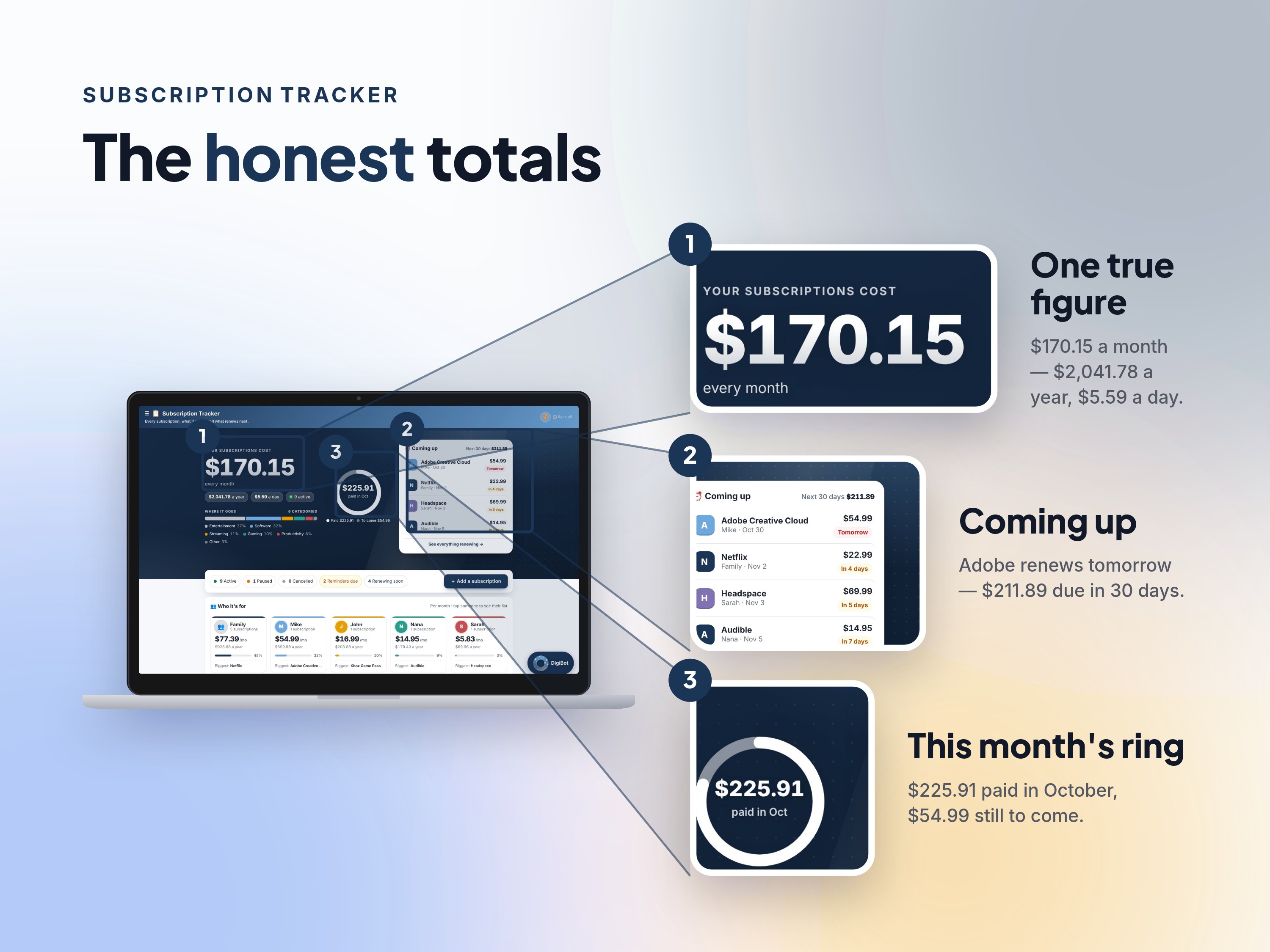
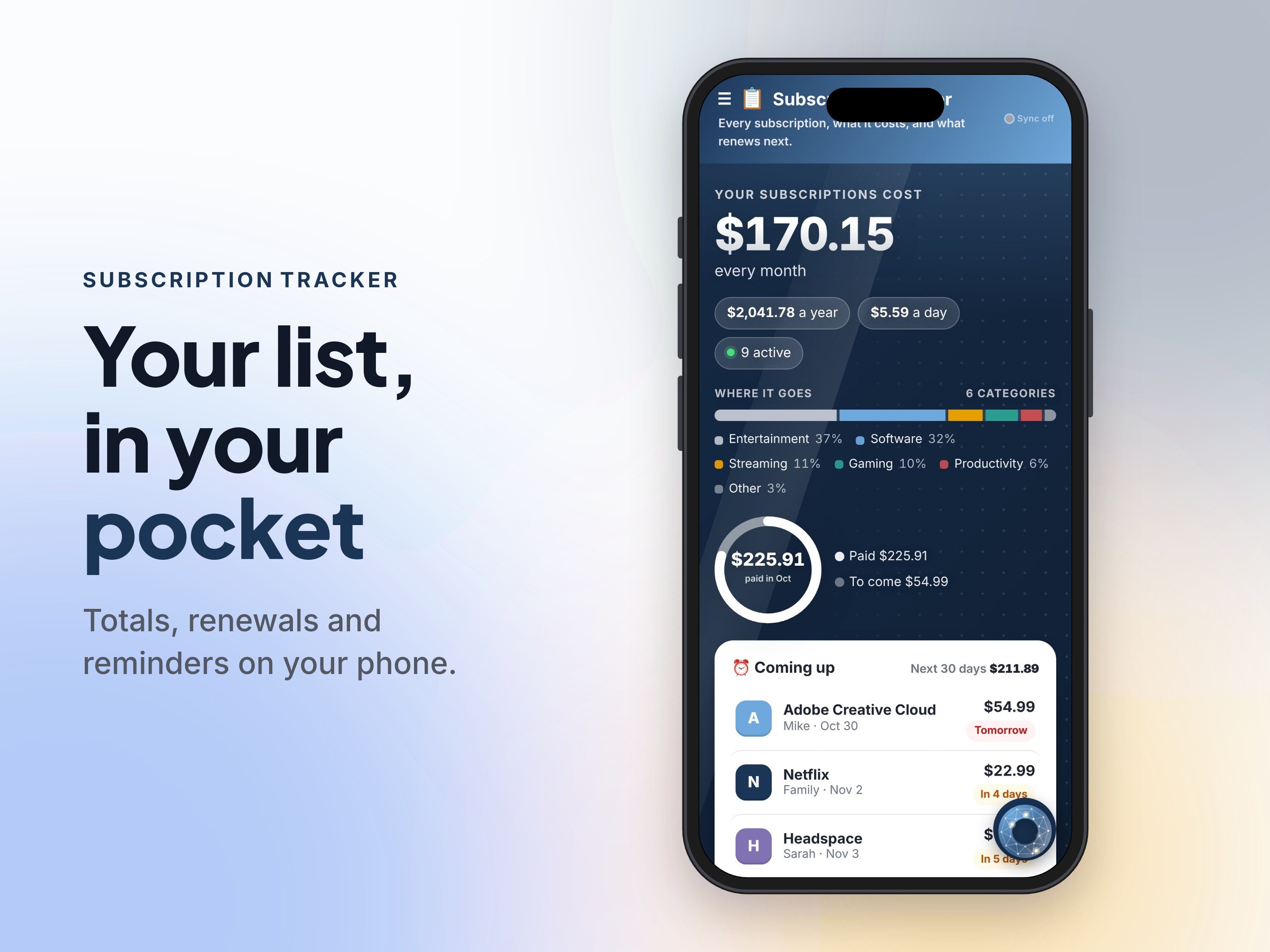
Every subscription converted to one per-month, per-year and per-day figure, whatever its billing cycle — shown on a band backed by your spending mix, with a ring of what's paid this month vs still to come.

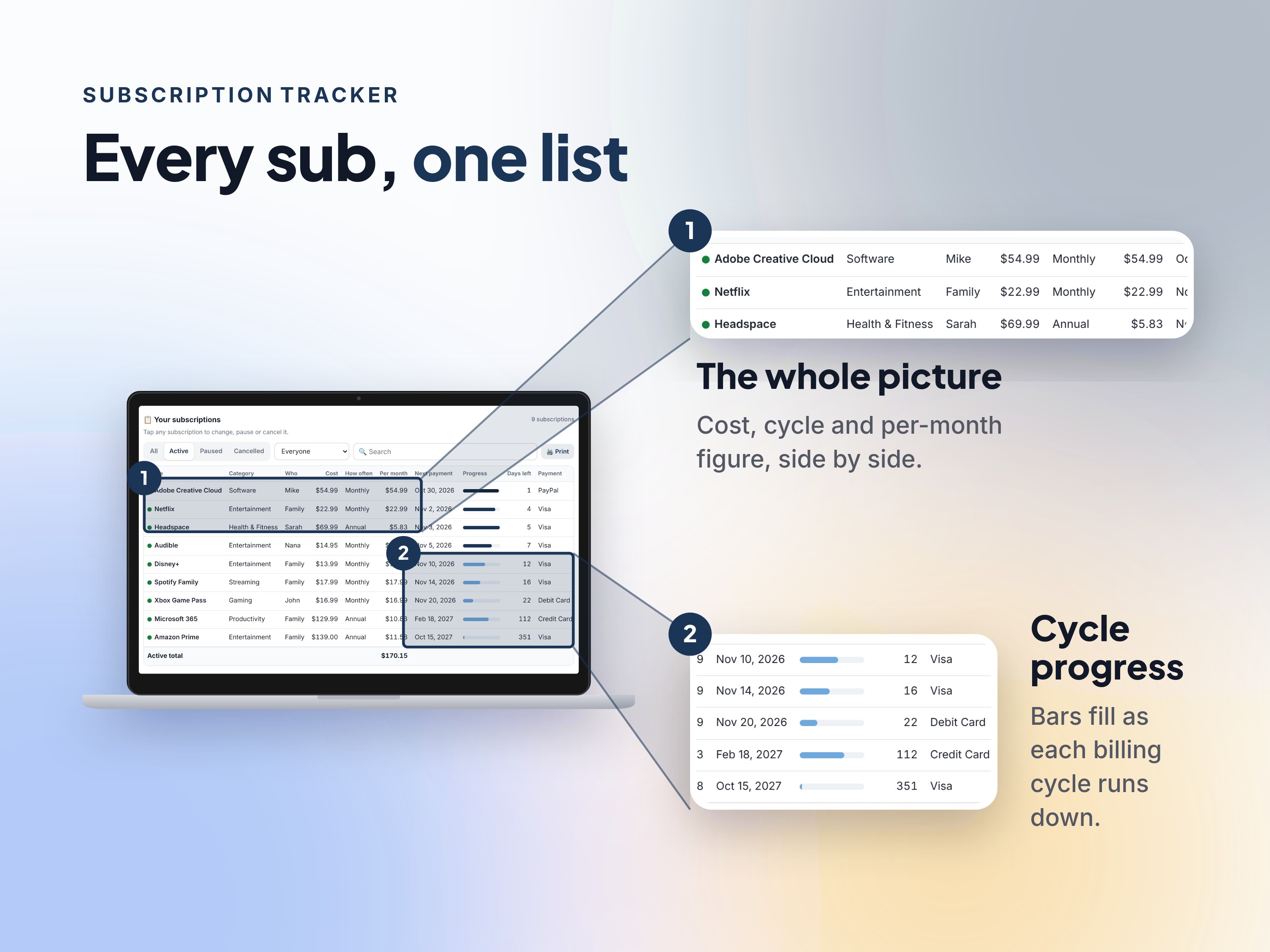
Every subscription, what it costs, and what renews next.
One private list for every subscription — what it costs per month and per year, what renews next, and what you'd save by cancelling.
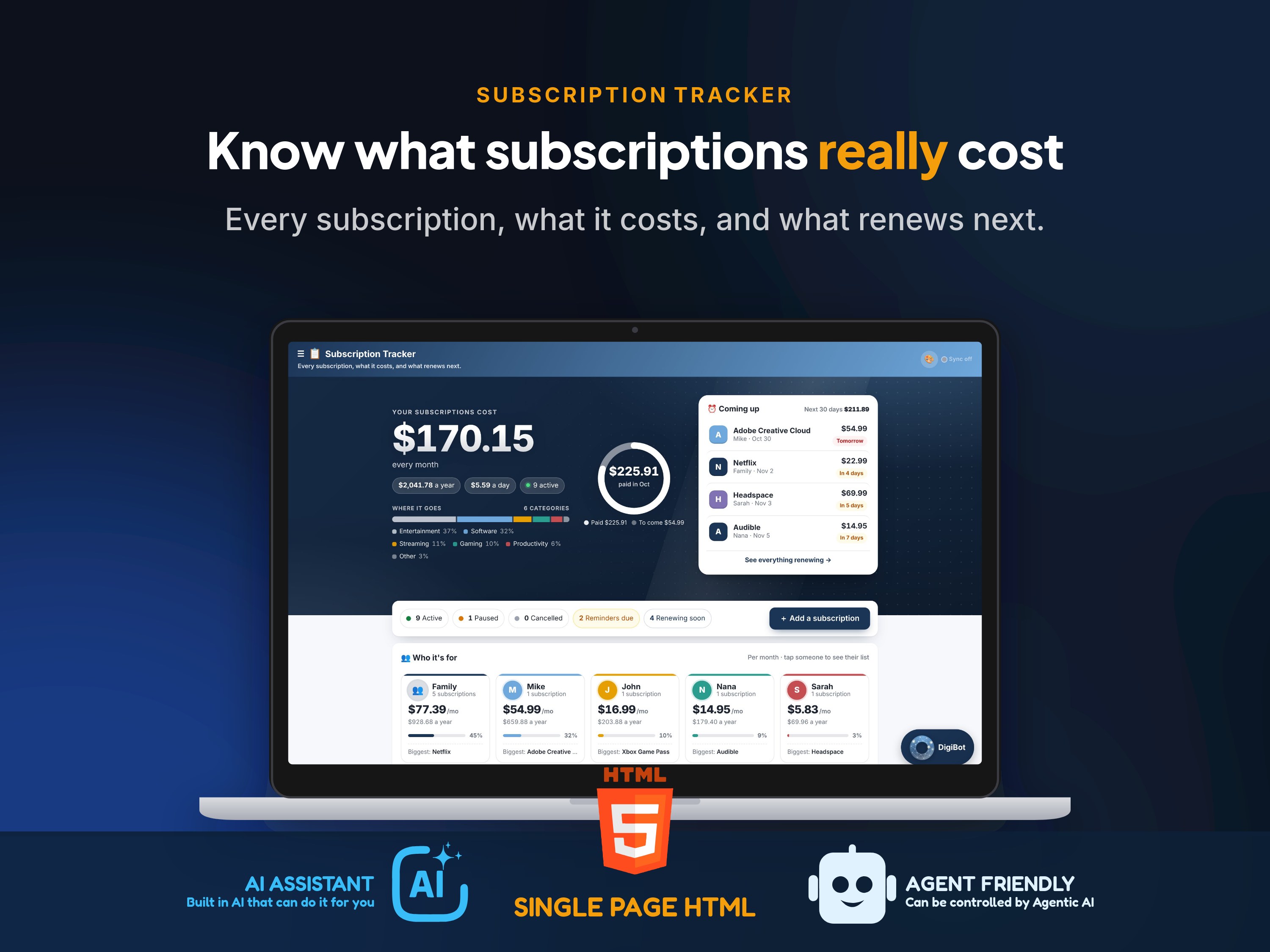
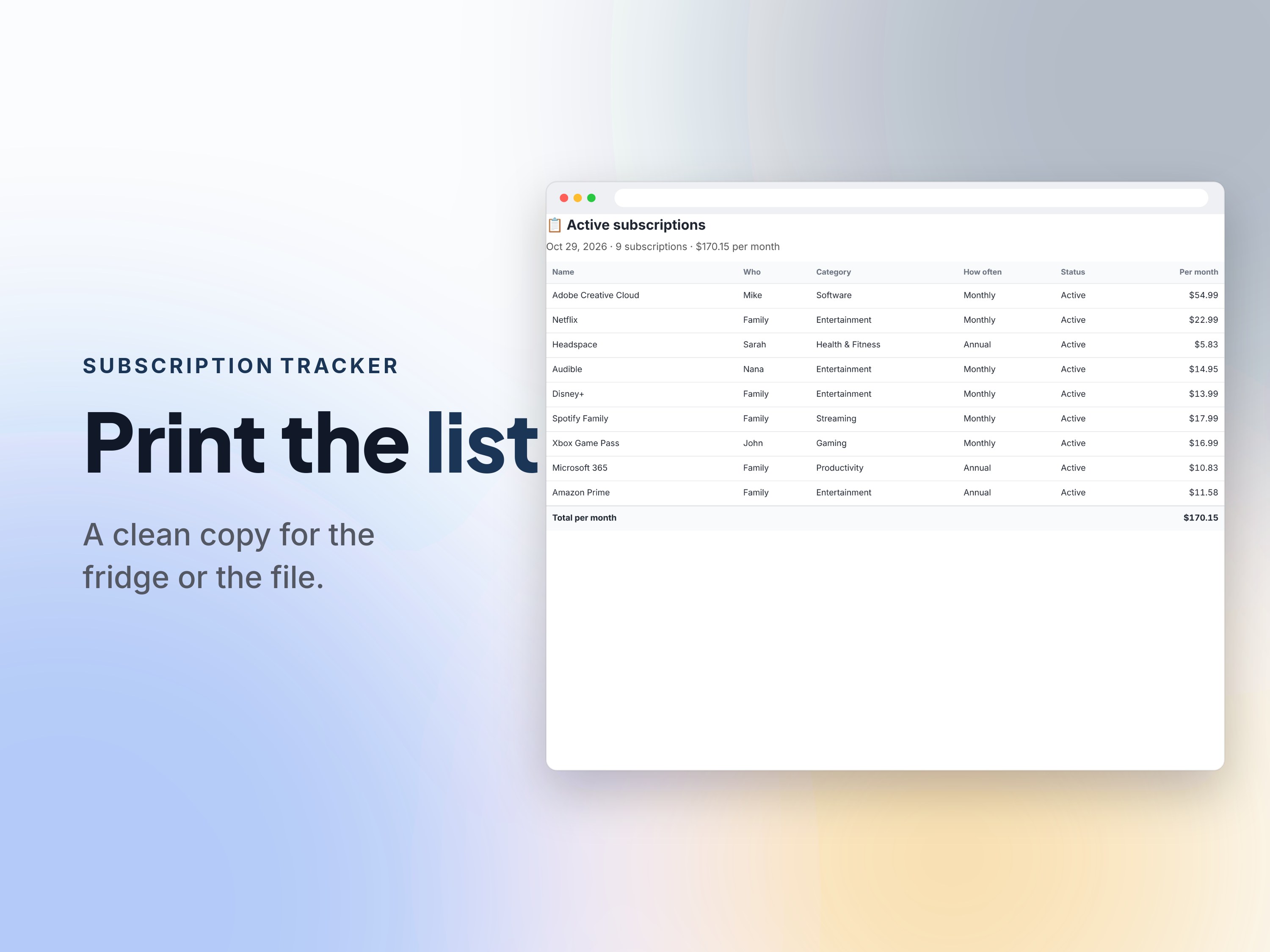
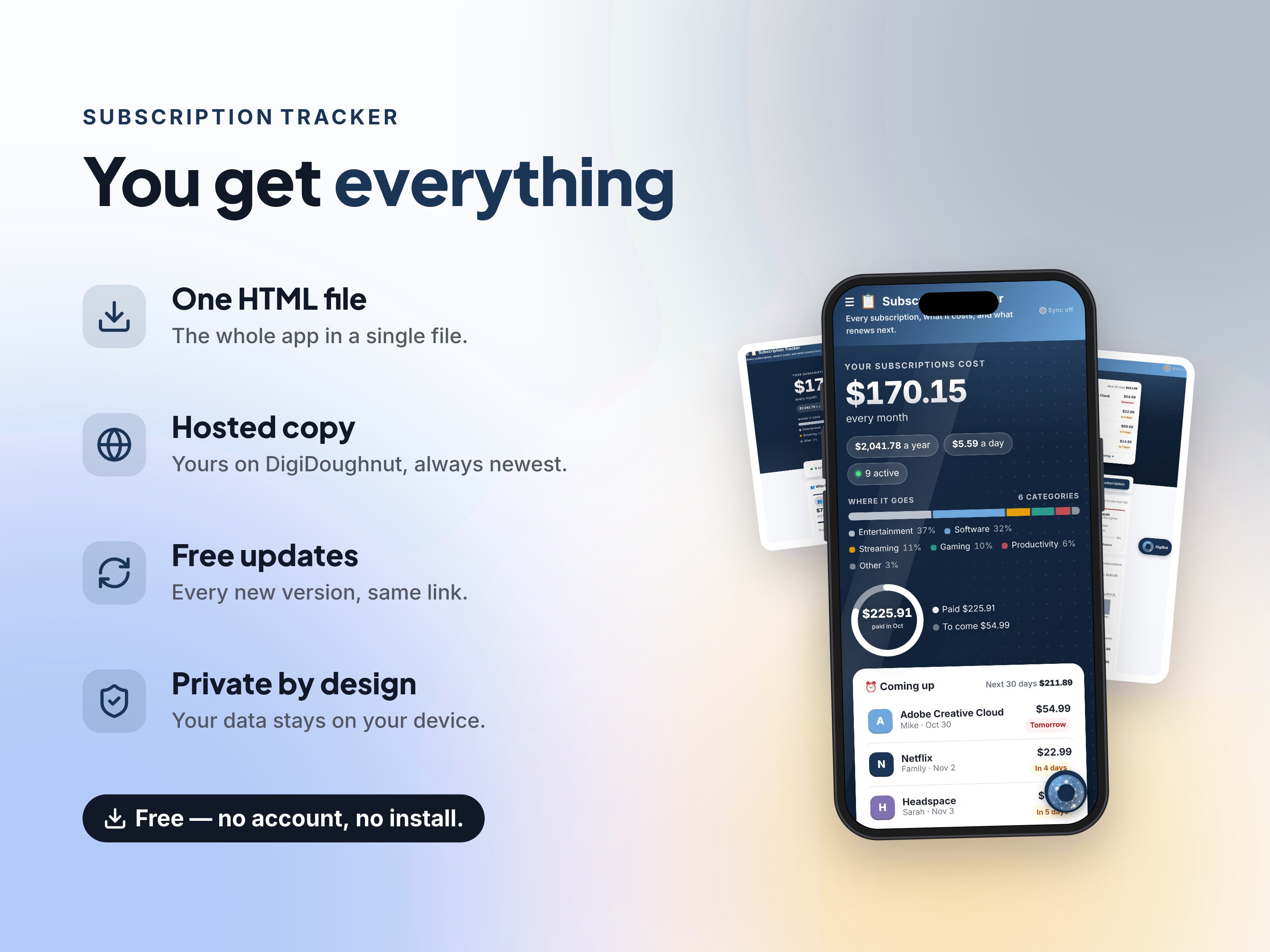
Meet Subscription Tracker — every subscription you pay for, what it costs, and what renews next — in one private list that does the math for you.
Every subscription converted to one per-month, per-year and per-day figure, whatever its billing cycle — shown on a band backed by your spending mix, with a ring of what's paid this month vs still to come.
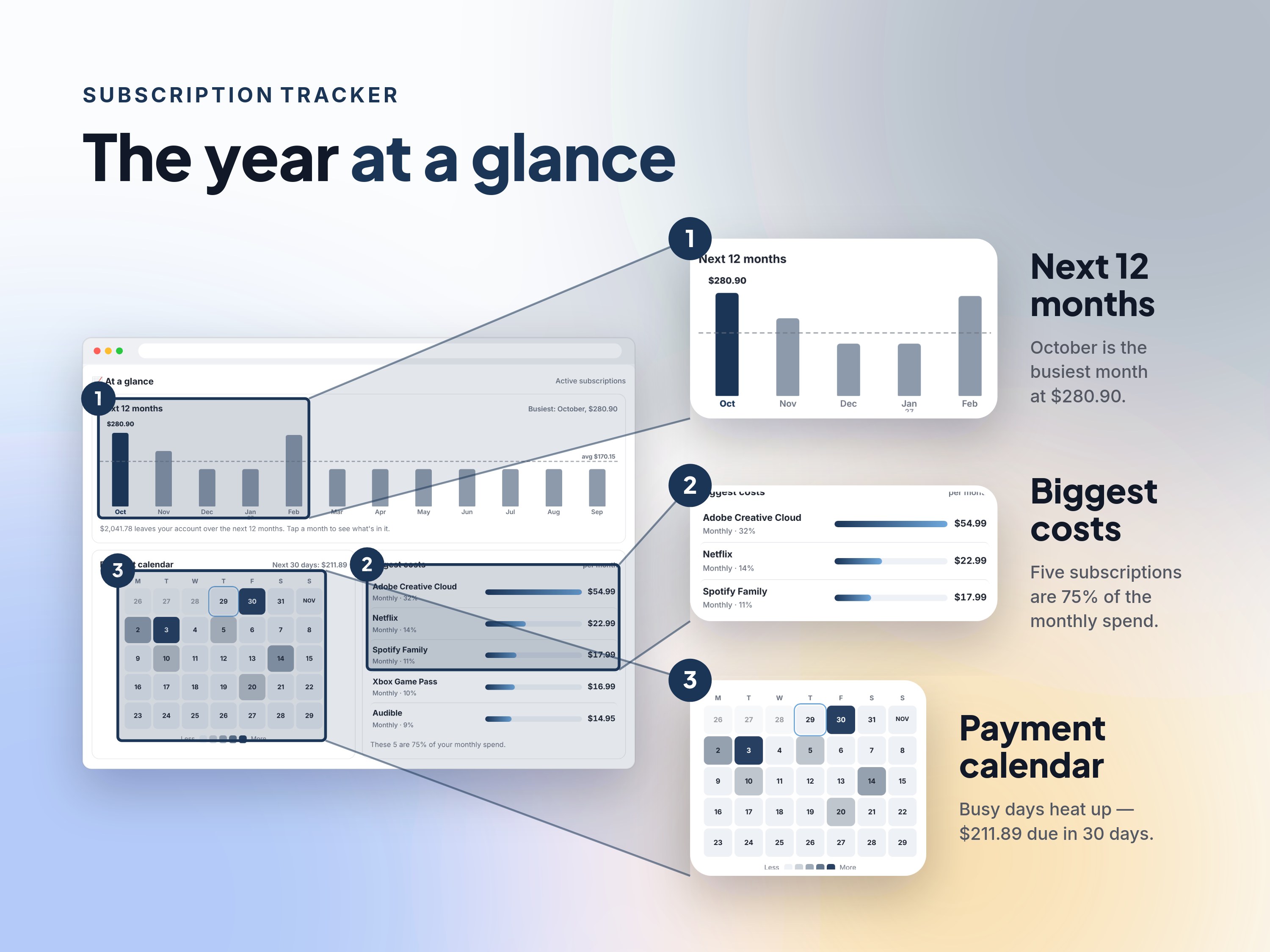
The next 12 months as a chart with the busiest month flagged, a five-week payment calendar that heats up on busy days, and your five biggest costs — tap anything for the detail.
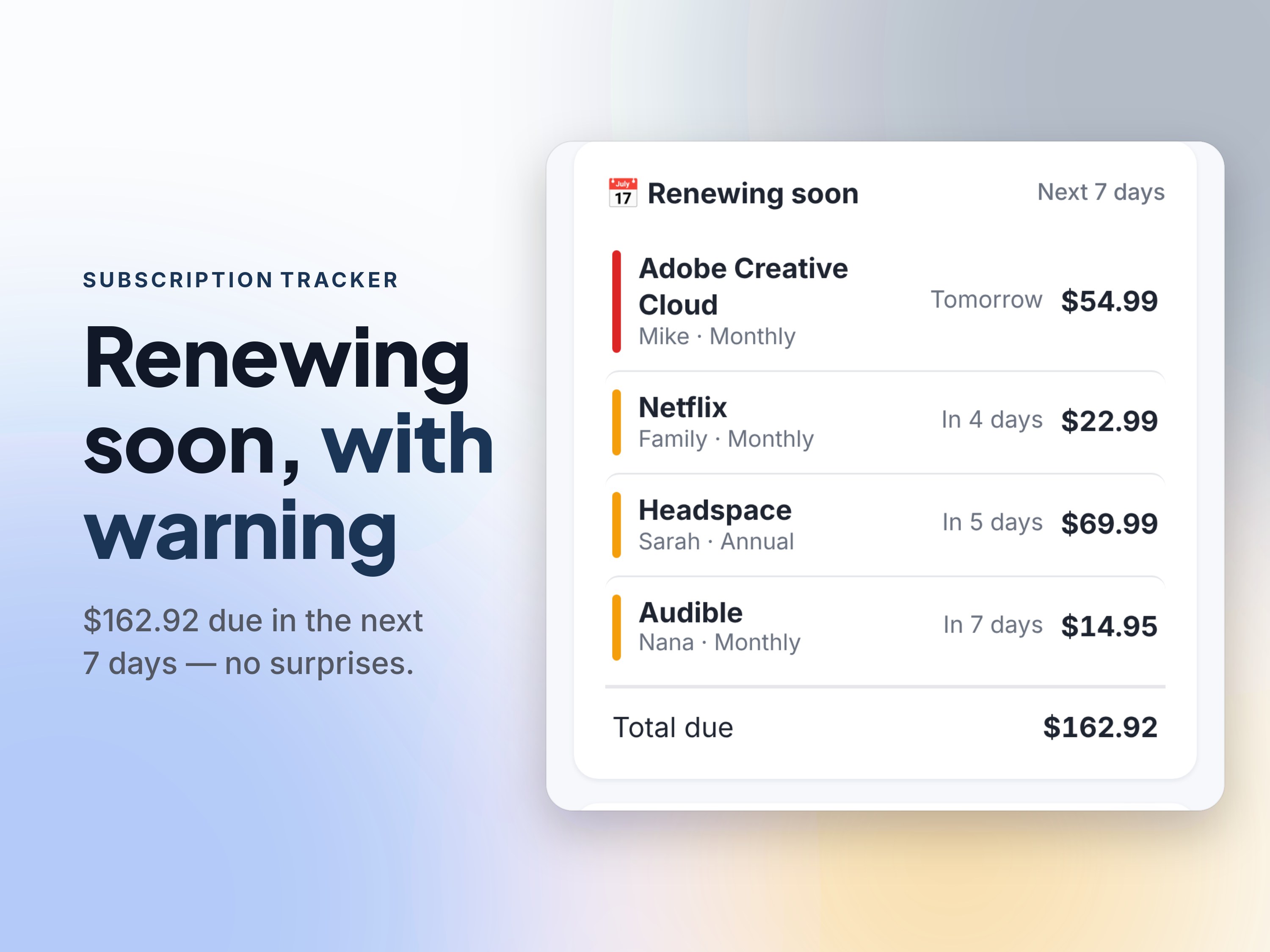
A 'renewing soon' card (you pick the window, 1–90 days) with red/amber/green bars and the total coming due, so a big renewal never lands unannounced.
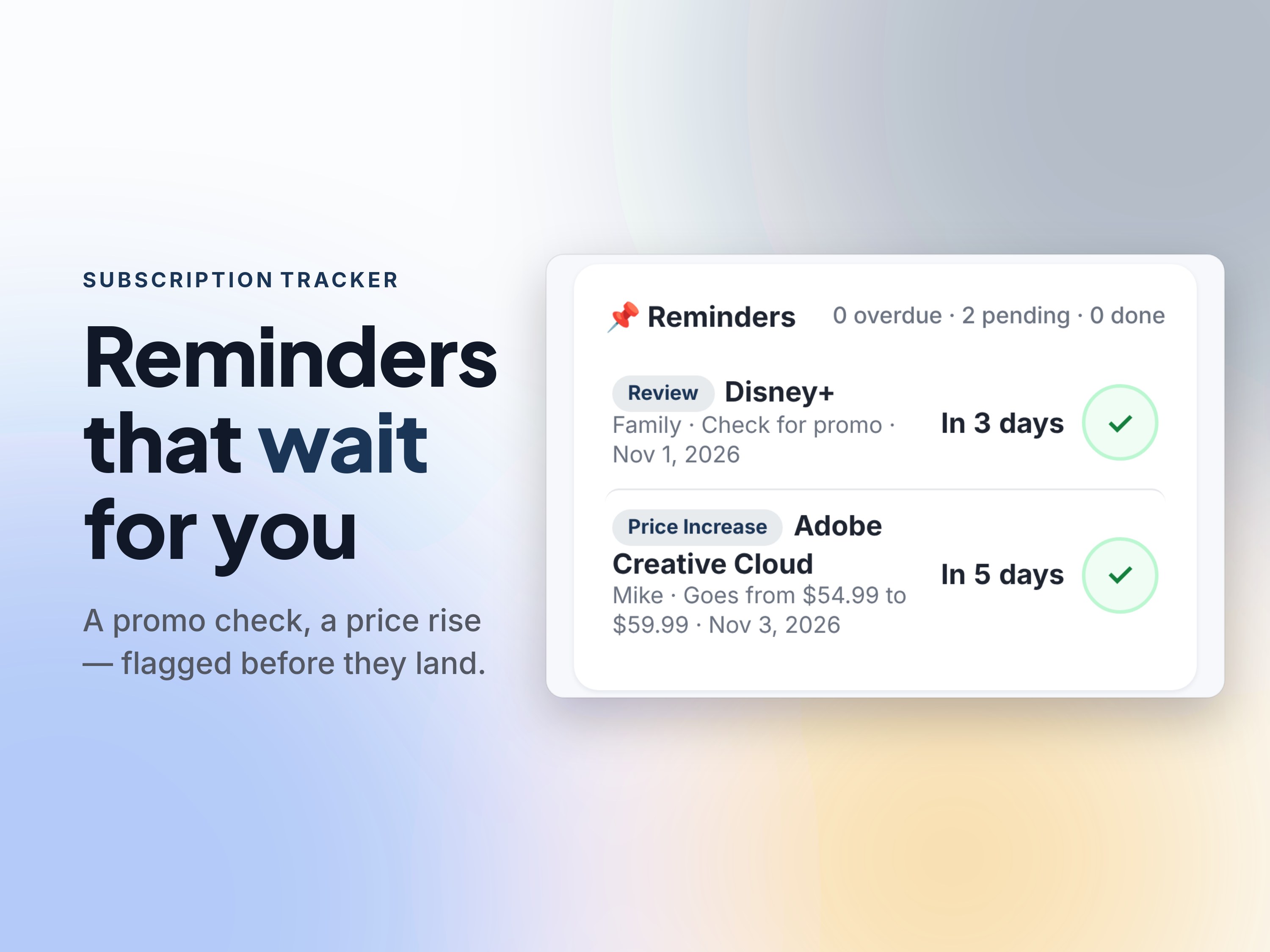
Attach a reminder to any subscription — check for a promo, review the price rise, cancel before the trial ends. They greet you when you open the tracker; tick them done as you deal with them.
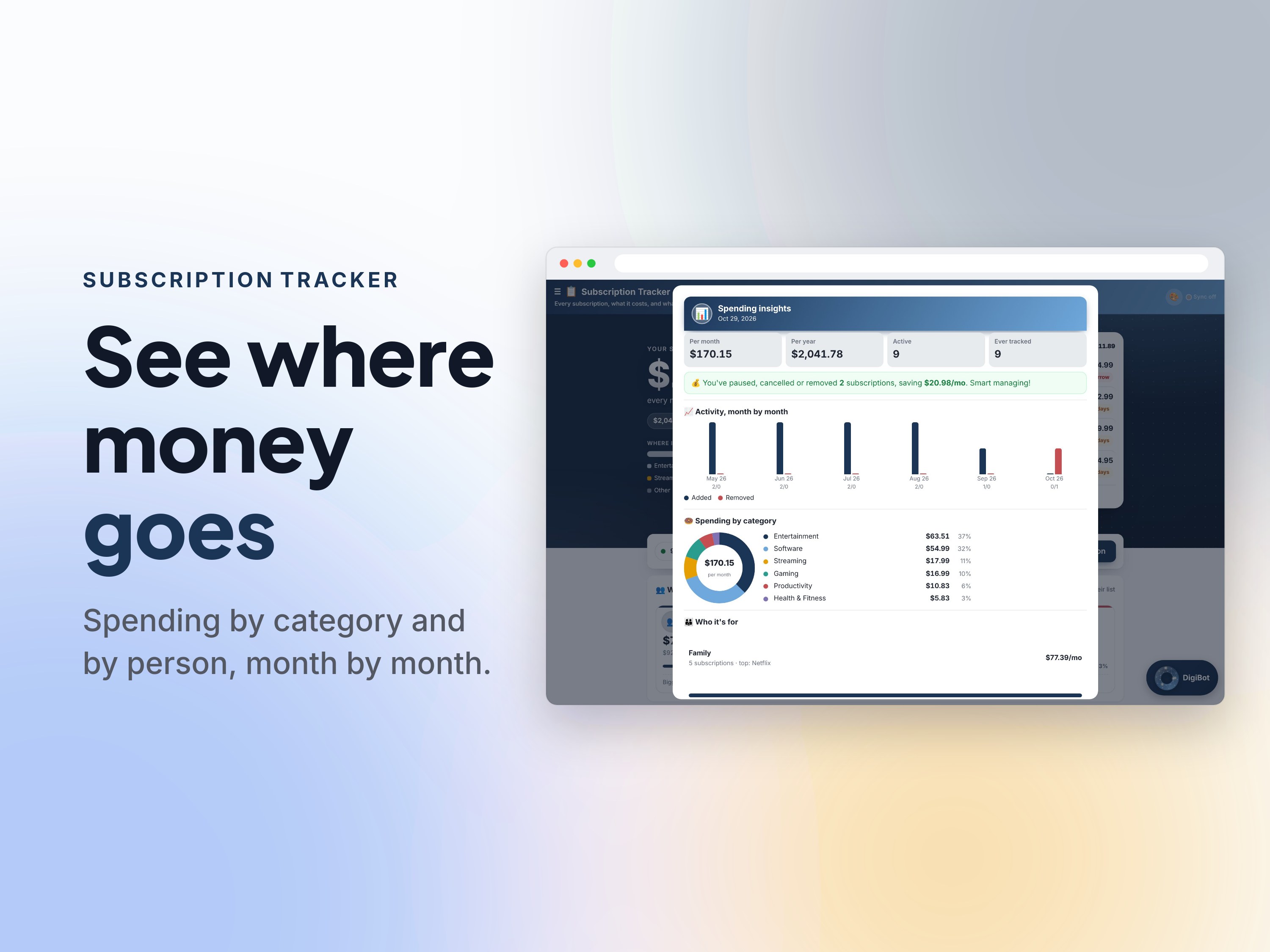
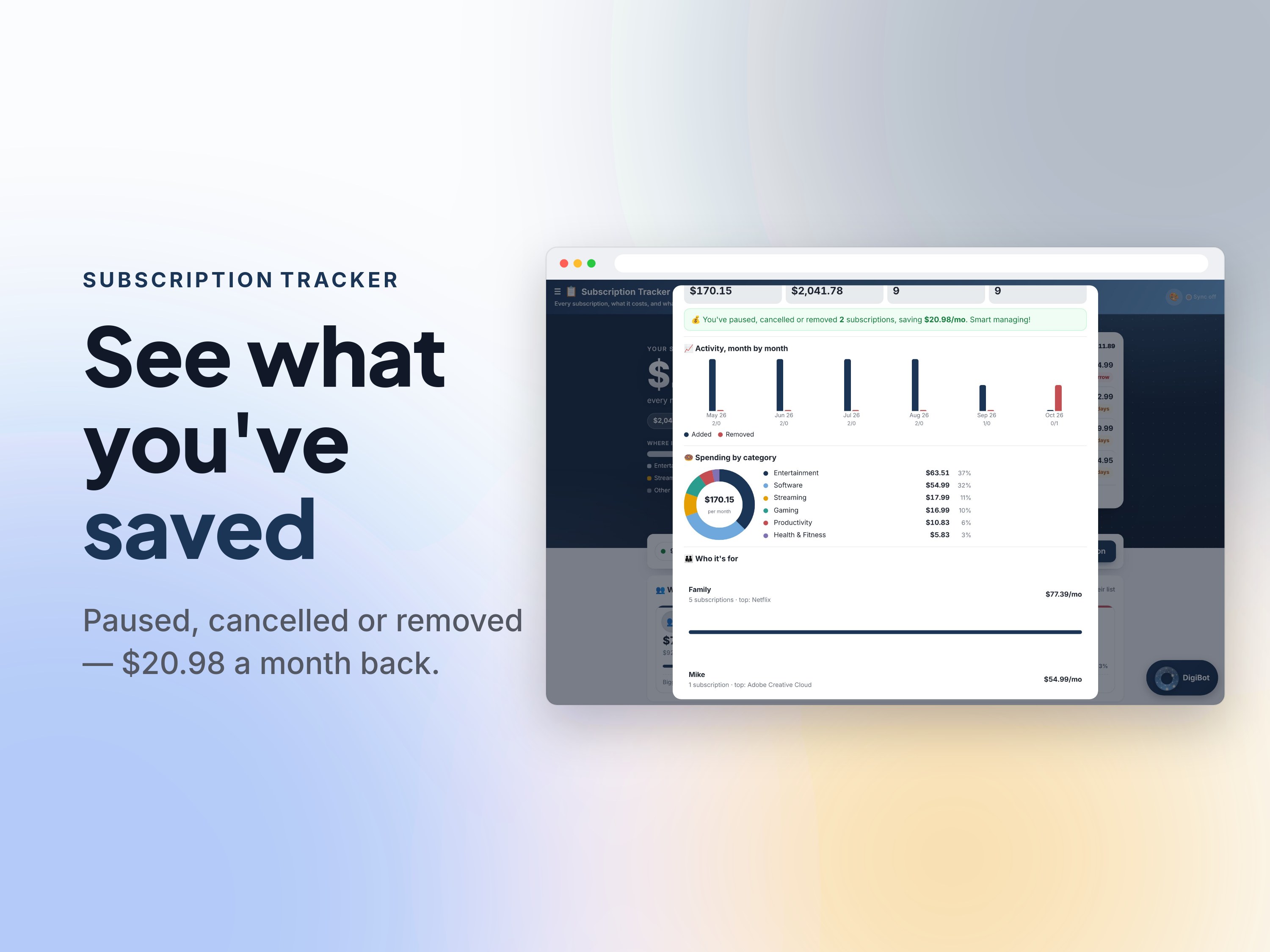
A category donut, spending by person, month-by-month activity, and a savings callout totting up everything you've paused, cancelled or removed.
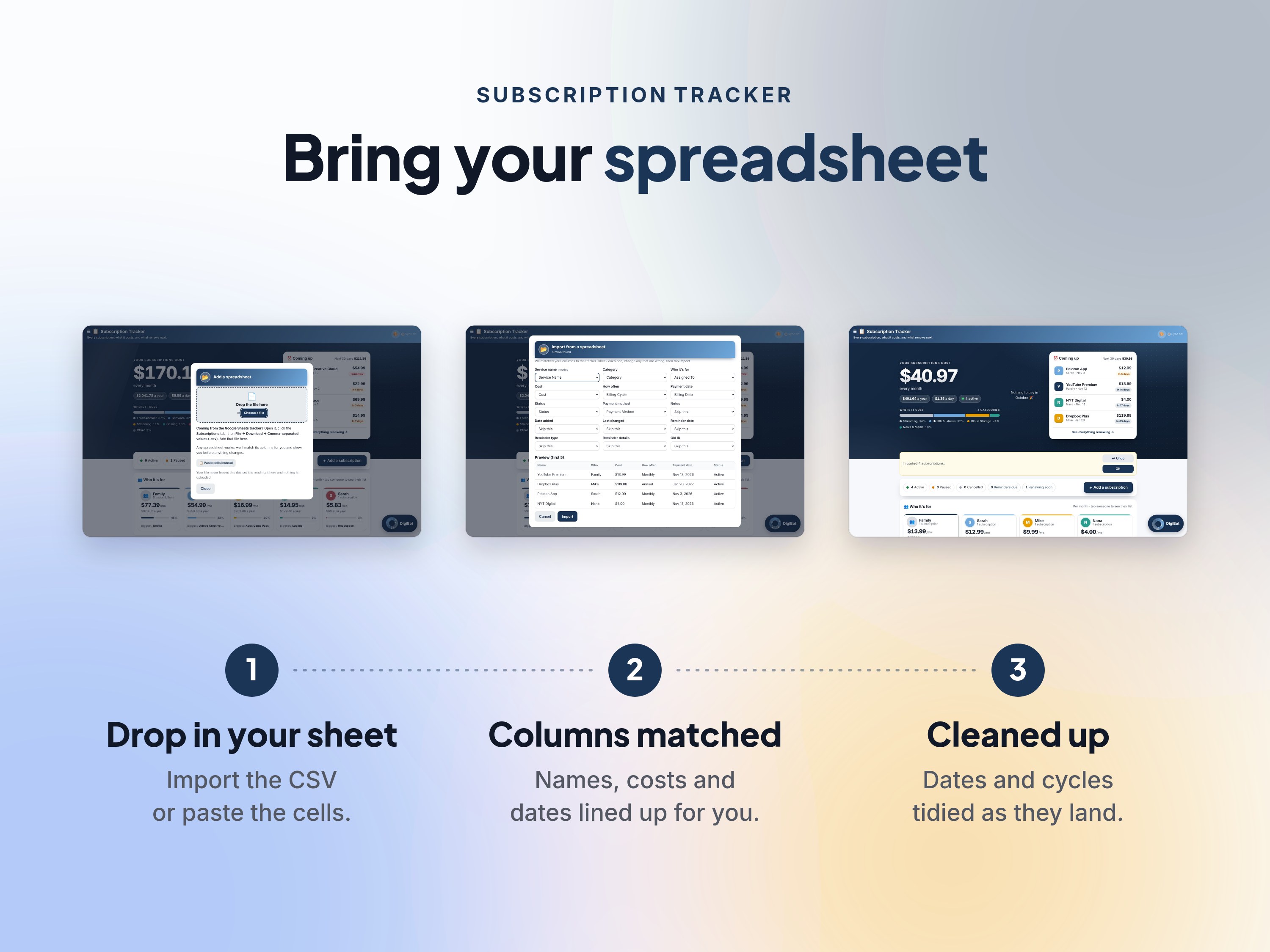
Coming from a spreadsheet? Import the CSV or paste the cells — columns are matched automatically, dates and cycles cleaned up as they land. Ask the AI assistant what you'd save by cancelling something first.
Ask the assistant what renews this week, what the family spends on streaming, or to add a subscription by chat — or ask it any question about the app itself and get a plain-words answer, right inside the app.
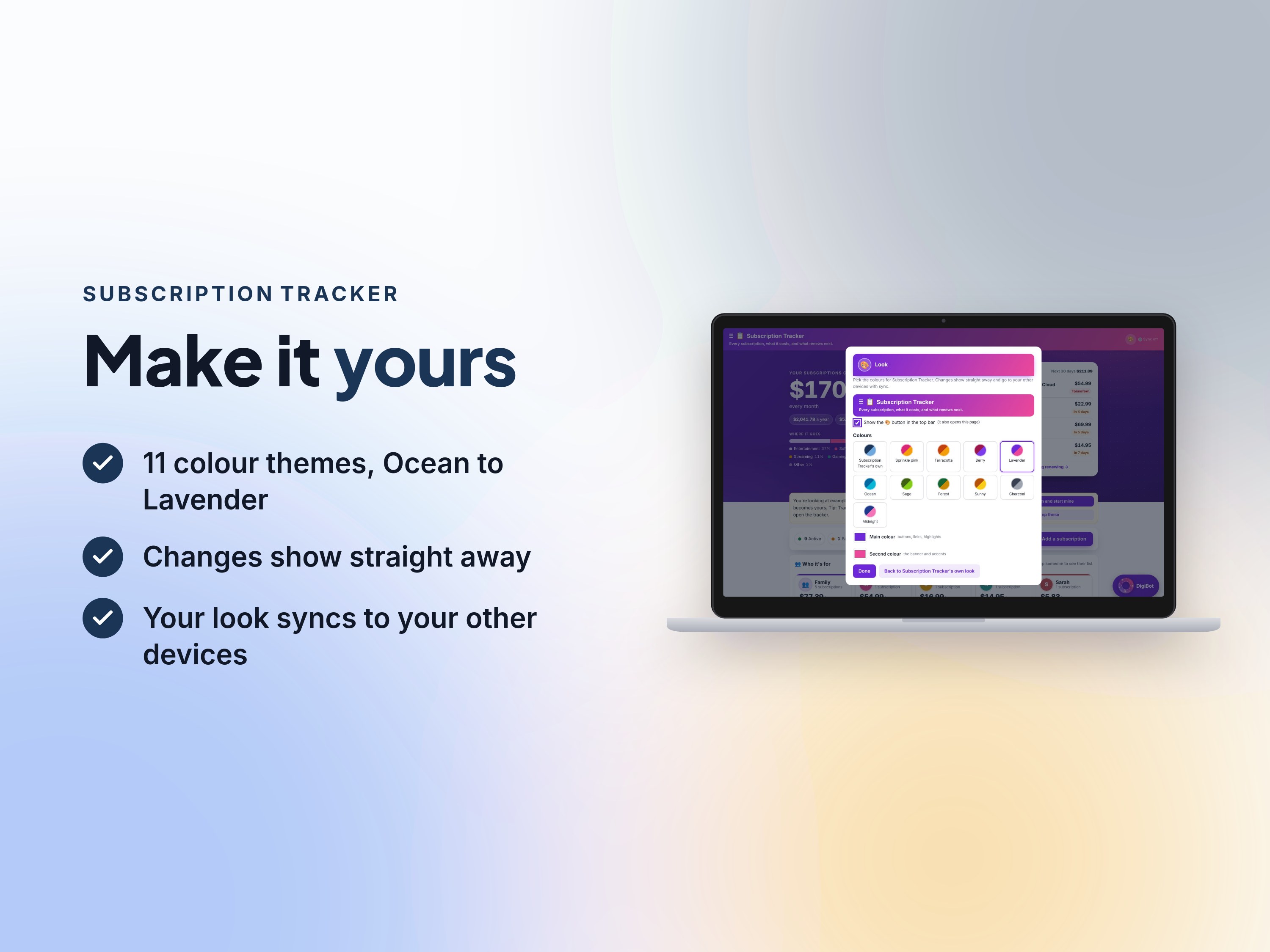
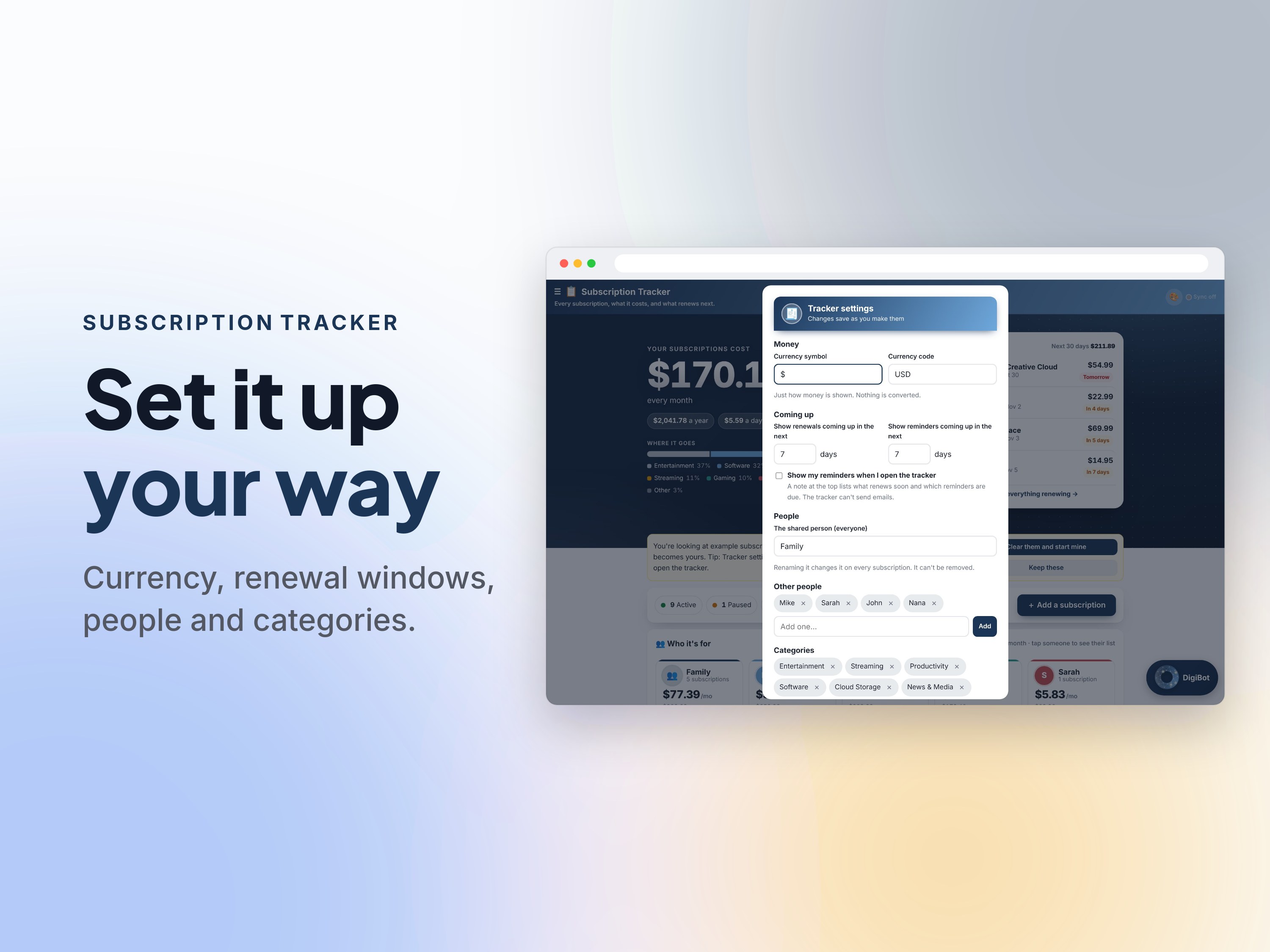
Pick your colours and look, and set your own currency, people and categories — it tracks your household, not a template.
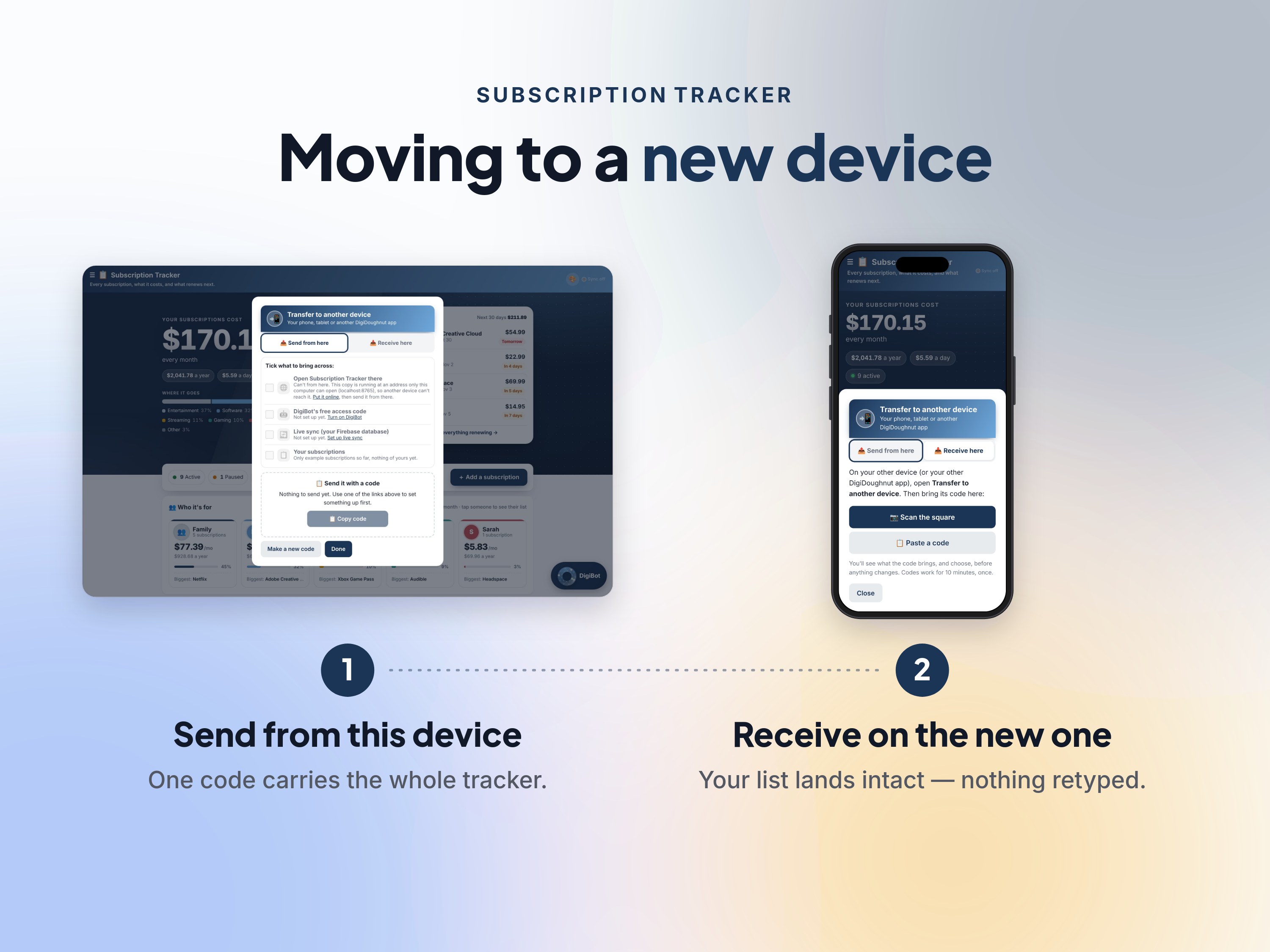
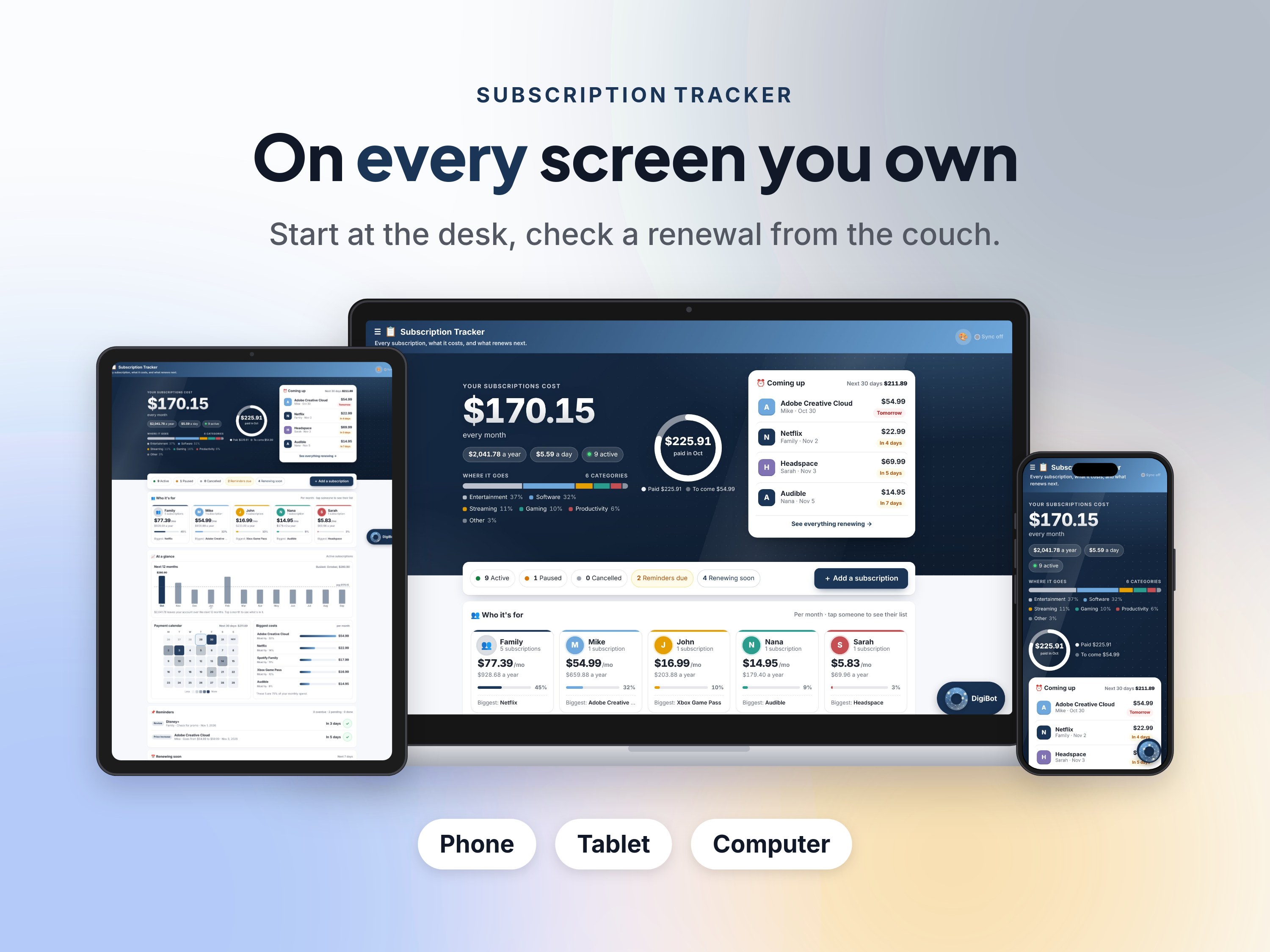
Start at the computer, check a renewal from your phone: with live sync on, your list follows you from device to device.
Agent friendly: your own AI (like Muse, ChatGPT or Grok) can connect and add, change and tidy subscriptions for you.
The official listing description.
Meet Subscription Tracker — every subscription you pay for, what it costs, and what renews next, in one private list that does the math for you. 📋
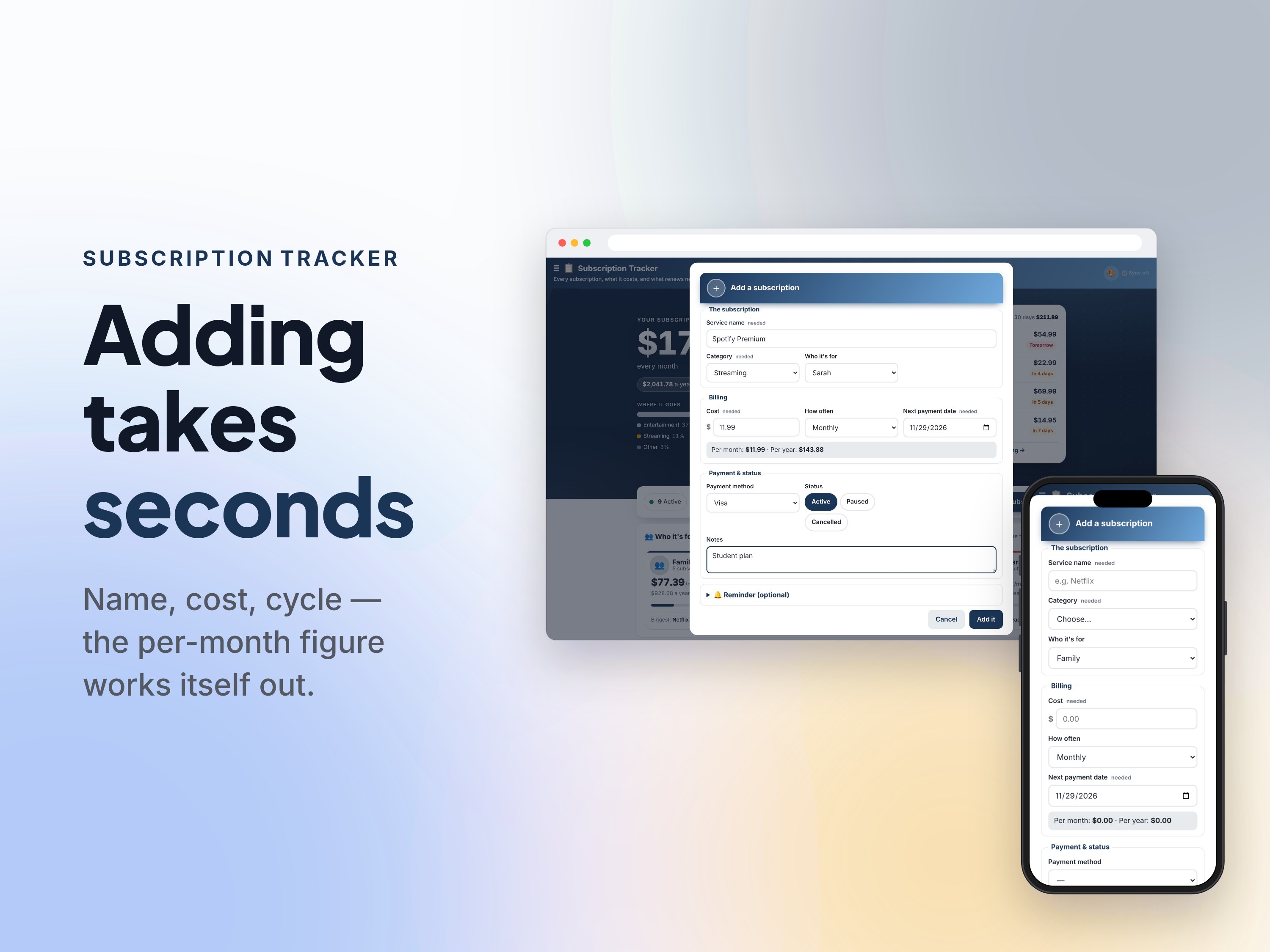
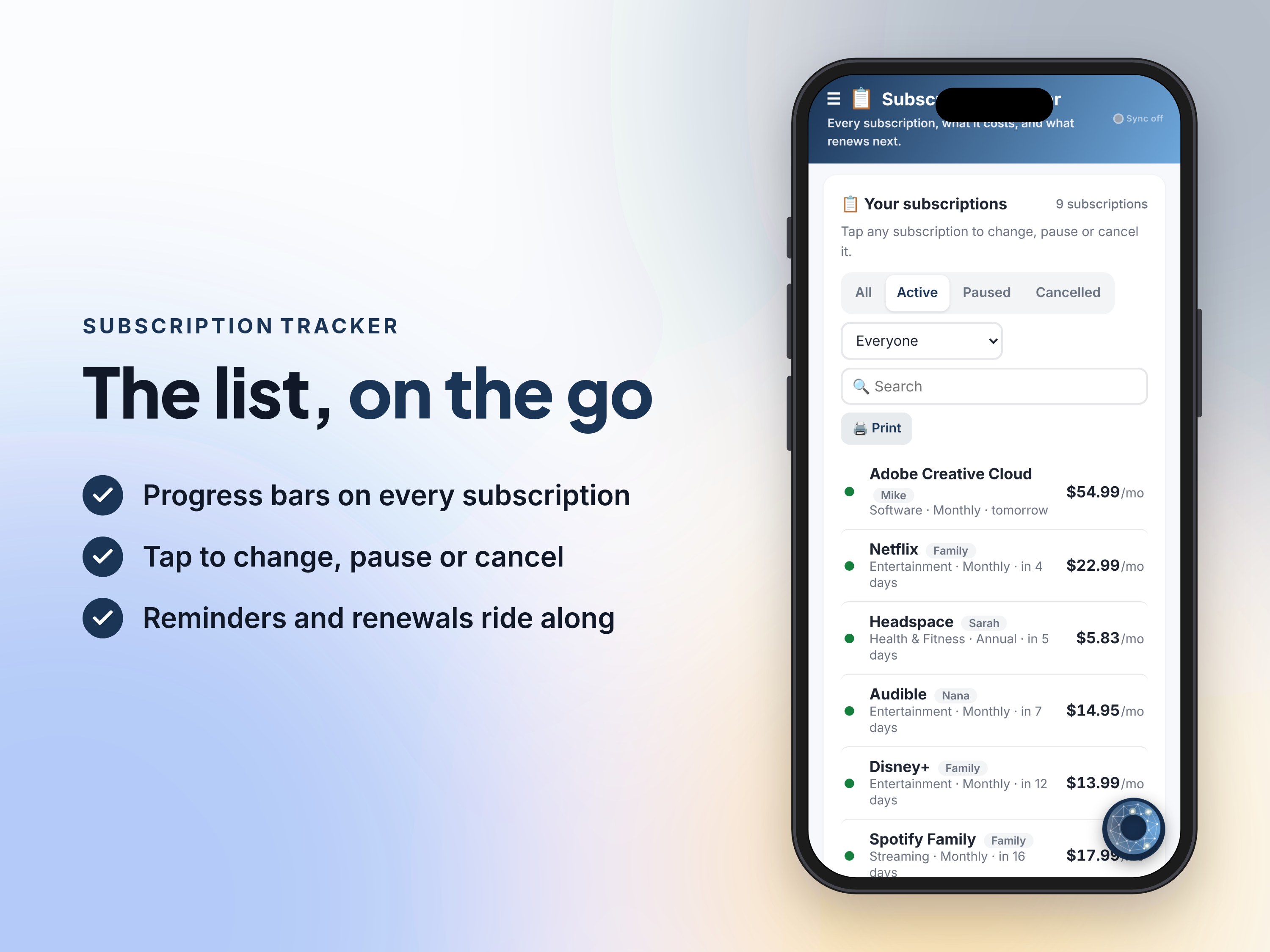
Subscriptions creep. A streaming service here, a software plan there, a gym membership, an app or two — each one small, together a real bill you've never seen written down. Subscription Tracker writes it down: name, cost, how often it bills, who it's for, how it's paid. The next billing date rolls forward by itself, and a progress bar shows how far through each cycle you are.
━━━━━━━━━━━━━━━━━━━━
🧮 FEATURES
━━━━━━━━━━━━━━━━━━━━
💰 The honest totals — Every subscription converted to one per-month, per-year and per-day figure, whatever its billing cycle — shown on a band backed by your spending mix, with a ring of what's paid this month vs still to come.
🗓️ At a glance — The next 12 months as a chart with the busiest month flagged, a five-week payment calendar that heats up on busy days, and your five biggest costs — tap anything for the detail.
🔔 Renewing soon, with warning — You pick the window (1–90 days): what's coming lines up with red, amber and green bars and the total due, so a big renewal never lands unannounced.
📌 Reminders that wait for you — Attach a reminder to any subscription — check for a promo, review the price rise, cancel before the trial ends. They greet you when you open the tracker; tick them done as you deal with them. Nothing is emailed.
📊 Spending insights — A category donut, spending by person, month-by-month activity for the last twelve months, and a savings callout totting up everything you've paused, cancelled or removed.
📂 Bring your spreadsheet — Import the CSV or paste the cells: columns are matched automatically, dates and cycles cleaned up as they land, and anything you've already got is skipped.
🤖 AI assistant, built in — Ask it what renews this week, what the family spends on streaming, or to add a subscription for you — or ask it ANY question about the app itself and get a plain-words answer.
🎨 Make it yours — Pick your colours and your look, set your own currency, people and categories, so it tracks your household, not a template's.
🔄 Syncs to your phone — Start at the computer, check a renewal from your phone: your list follows you from device to device.
🤝 Your AI agent can drive it — Subscription Tracker is agent friendly: your own AI (like Muse, ChatGPT or Grok) can connect and add, change and tidy subscriptions for you.
━━━━━━━━━━━━━━━━━━━━
✨ WHAT YOU GET
━━━━━━━━━━━━━━━━━━━━
✅ One HTML file containing the entire app — no installer, no app store
✅ Your own private copy, hosted for you with a personal link
✅ Free updates when new versions land
━━━━━━━━━━━━━━━━━━━━
💻 REQUIREMENTS & COMPATIBILITY
━━━━━━━━━━━━━━━━━━━━
🌐 Any modern browser on phone, tablet or computer (Chrome, Safari, Edge, Firefox)
📦 No install, no account
🔑 The AI assistant runs on Google's API — it uses a free Google AI key, and Subscription Tracker walks you through getting one in about two minutes
🗄️ Live sync between your devices uses a free Google database (Firebase) that belongs to you — Subscription Tracker sets it up with you, step by step
🔒 Your data is stored on your own device; on your hosted copy it stays saved with the site until you remove it — nothing sits on our servers
📶 Internet needed for the AI features and sync; the tracker itself works offline
━━━━━━━━━━━━━━━━━━━━
🚀 HOW IT WORKS
━━━━━━━━━━━━━━━━━━━━
1️⃣ Get Subscription Tracker and open your download
2️⃣ Follow the link to your private copy
3️⃣ Run it online, or download your own copy of the HTML file
━━━━━━━━━━━━━━━━━━━━
❓ GOOD TO KNOW
━━━━━━━━━━━━━━━━━━━━
How is this different from the Subscription Tracker spreadsheet?
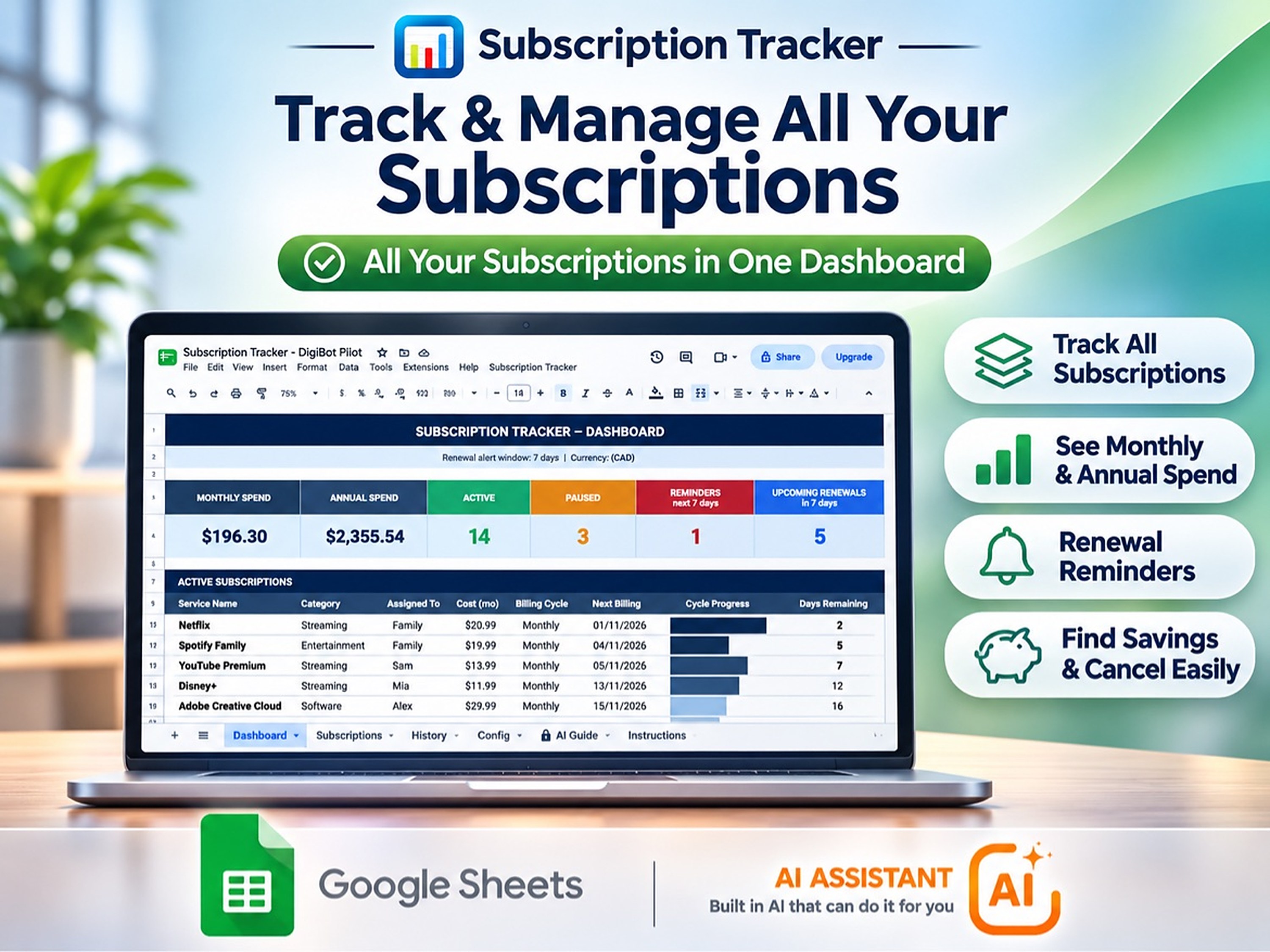
Same idea, two formats. The spreadsheet is a Google Sheets template you run yourself; this app needs no spreadsheet — it works out next billing dates, totals and renewals for you, and reminds you right in the app.
How do the reminders work?
You set a reminder on any subscription — a date plus what it's about (a price rise, a trial ending, a review). When you open the tracker, due reminders are listed at the top until you tick them done. They live in the app; nothing is emailed.
Can I import my existing spreadsheet?
Yes — import the CSV or paste the cells in. Columns are matched automatically (name, cost, cycle, billing date…), and dates and cycles are cleaned up as they land. Duplicates you've already got are skipped.
Is my data private?
Yes. Your subscriptions are stored on your own device — and in your own database if you turn sync on — not on our servers. The AI assistant uses your own free Google AI key.
What does it cost?
Nothing — Subscription Tracker (the app) is free for a limited time. No subscription, no account, no in-app purchases. Ironic, we know.
━━━━━━━━━━━━━━━━━━━━
📜 LICENSE
━━━━━━━━━━━━━━━━━━━━
Free for a limited time — your own private copy of the app, yours to keep.
No subscription. No account. Your data stays yours. 📋
💬 Questions? Message us through our Etsy shop — we're happy to help.
For anyone who has ever been surprised by a renewal charge — and for households juggling subscriptions across the whole family, on one shared list.
DigiBot is the AI helper built into Subscription Tracker. It uses your own free Google AI key — there’s a two-minute walkthrough in Help. The app works without it, too.
Item specifics, as listed.
| Item type | Digital download |
|---|---|
| Delivery | Instant access — your own private copy, ready in minutes. |
| Hosting | Hosted for you on DigiDoughnut — just open your personal link, nothing to set up |
| Files included | 1 file + hosted copy |
| File type | HTML |
| Made with | Web app — runs in any modern browser |
| Price | Free for a limited time |
| Updates | Free, when new versions land |
| Made by | Digi Doughnut |
| License | Free — your own private copy of the app, yours to keep. — full license |
One file. Any device. Your data on your terms.
No subscription. No account. Your data stays yours.
No installer, no app store, no sign-up form.
Grab Subscription Tracker from this page.
Your private copy is waiting there with its own personal link.
Run it online, or download your own copy of the HTML file.
The dashboard band shows what your subscriptions cost per month, per year and per day, over a ribbon of where the money goes — and a ring of what's already paid this month.
By category, by person, month by month — plus what you've already saved by pausing and cancelling.
The same list on your phone: check a renewal at the store, pause something from the couch.
The things people ask most before trying Subscription Tracker.
Something else? , or see Help.
Nothing — Subscription Tracker (the app) is free for a limited time. No subscription, no account, no in-app purchases. Ironic, we know.
Same idea, two formats — both are on this site. The spreadsheet is a Google Sheets template you run yourself; this app needs no spreadsheet: it works out next billing dates, totals and renewals for you, and reminds you right in the app.
You set a reminder on any subscription — a date plus what it's about (a price rise, a trial ending, a review). When you open the tracker, due reminders are listed at the top until you tick them done. They live in the app; nothing is emailed.
Yes — import the CSV or paste the cells in. Columns are matched automatically (name, cost, cycle, billing date…), and dates and cycles are cleaned up as they land. Duplicates you've already got are skipped.
Yes — your subscriptions are stored on your own device, not on our servers. The optional AI assistant uses your own free Google AI key.
Any modern browser on a phone, tablet or computer. Set your own currency in Tracker settings.
Free — your own private copy of the app, yours to keep. Read the full license.
Free for a limited time. No subscription, no account.
Get it free →